AgenticOS

AgenticOS
One place to build, run and govern your company's AI agents. Self-hosted, open source, and yours. Why it is called an operating system is seven functions further down.




Documentation: vstorm-co.github.io/agenticos
Source Code: github.com/vstorm-co/agenticos
AgenticOS is a self-hosted, multi-tenant platform for building, governing and running a company's AI agents.
The key point is this:
Code defines, configuration composes
A business team composes agents in a browser — instructions, a model, a set of capabilities, a budget — and the result runs the same way everywhere: web chat, HTTP API, Slack, Telegram, an embedded widget. The console itself is a web app; the desktop app is the same console in a window of its own, an add-on for those who want it on the dock.
Engineers extend what there is to compose, in typed Python. Configuration can only ever reach what code registered, which is what makes a no-code Builder safe to hand to somebody who is not an engineer.
Everything else on this site follows from that one sentence. The ceiling is not a config file — it is whatever your engineers put in the registry, and the source is yours.
Start where you are
-
I want to try it
Install takes four commands, then your first agent is a working one in about ten minutes.
-
I am deciding whether we adopt it
Rolling it out — who does what, what it costs, and the questions your security review will ask. No terminal on it.
-
I want to integrate with it
The HTTP API for calling it, MCP for giving agents your tools, and the console's code if you are changing the UI.
-
I already run it and something is wrong
The console maps every screen, and each page's Recap is the short version. Configuration is every setting.
Why it is called an operating system
Because the word is doing work. An operating system runs and isolates processes, enforces resource limits, controls access, reaches hardware through drivers, keeps a filesystem, gives many interfaces one shell, and writes an audit log.
AgenticOS does each of those for agents: runs, budgets checked before the model
request, a permission catalog with approvals as its sudo, MCP and model
profiles as its drivers, collections in your own Postgres, one runner behind
every surface, and an audit trail written even when a run fails.
The seven, one by one, with what to check in any other product →
Why it exists
Most agent frameworks give you a library. You write Python, you deploy it, and every change to an agent's behaviour is a pull request, a review and a release.
That is the right shape for a product feature. It is the wrong shape for the forty small agents a company actually wants, because the person who knows what the agent should say is not the person with commit access.
So AgenticOS moves the agent out of the code, and puts governance around it instead.
-
Budgets that stop a run
Checked before each model request, not after. A run that fails still records what it spent, because a budget that ignores failures is not a budget.
-
Approval for anything side-effecting
A tool that acts on the outside world parks the run and waits for a person. Set per capability, overridable per tool.
-
Permissions in code, roles composed from them
Call sites check permissions, never role names. A grant widens what one person may do with one row; it never narrows it.
-
Tenant isolation in the schema
Not only in the service layer. A ciphertext from one organization cannot be decrypted for another.
Requirements
Docker and Docker Compose. That is the whole list — Postgres (with pgvector), Redis, the API, the worker and the console all come up together.
Running the services by hand instead? Python 3.12, Node with bun, PostgreSQL 16 with pgvector, and Redis.
Installation
That brings up Postgres, Redis, the API, the worker and the frontend.
Then create an organization, an owner, a model and a first agent:
And open the console:
Sign in with admin@example.com / admin123.
What an agent is made of
Six decisions, and none of them is code. Somebody who knows what the agent should say makes all six in a browser; publishing freezes the combination as a version, and that version is what answers.
| What it decides | |
|---|---|
| Instructions | What the agent does, in plain language — and what it should refuse to do |
| A model profile | Which model answers, with which parameters, and what it falls back to during an outage |
| Capabilities | What it may do at all: search your knowledge, read a page, run Python, draw a chart |
| Knowledge | Which collections it may search, and nothing outside them |
| Approval | Which of those actions wait for a person before they touch the outside world |
| A budget | What it may spend in a month, checked before each request rather than counted after |
Change any of them and nothing ships until you publish. The version that was live stays readable, so what did this agent look like in March has an answer.
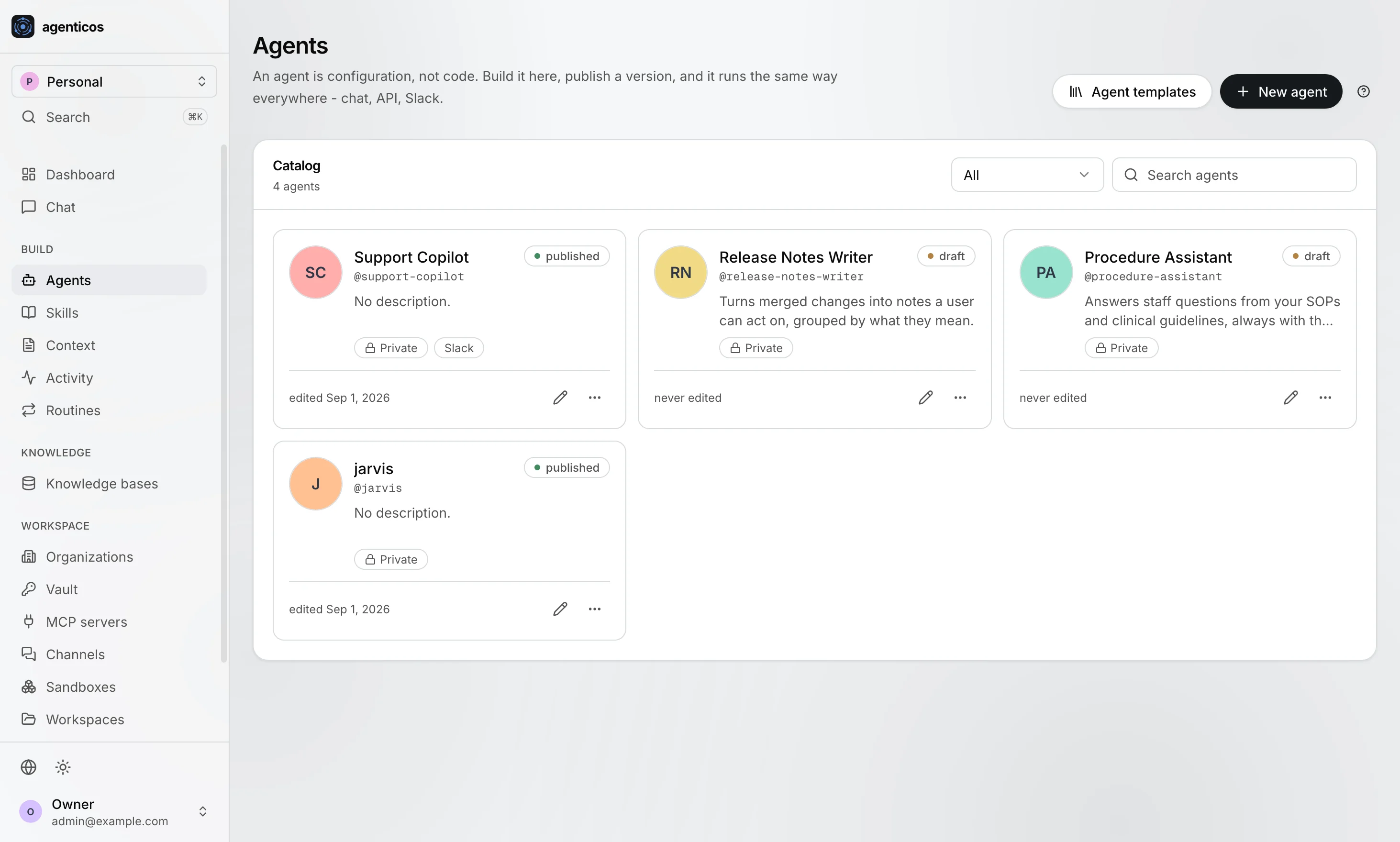
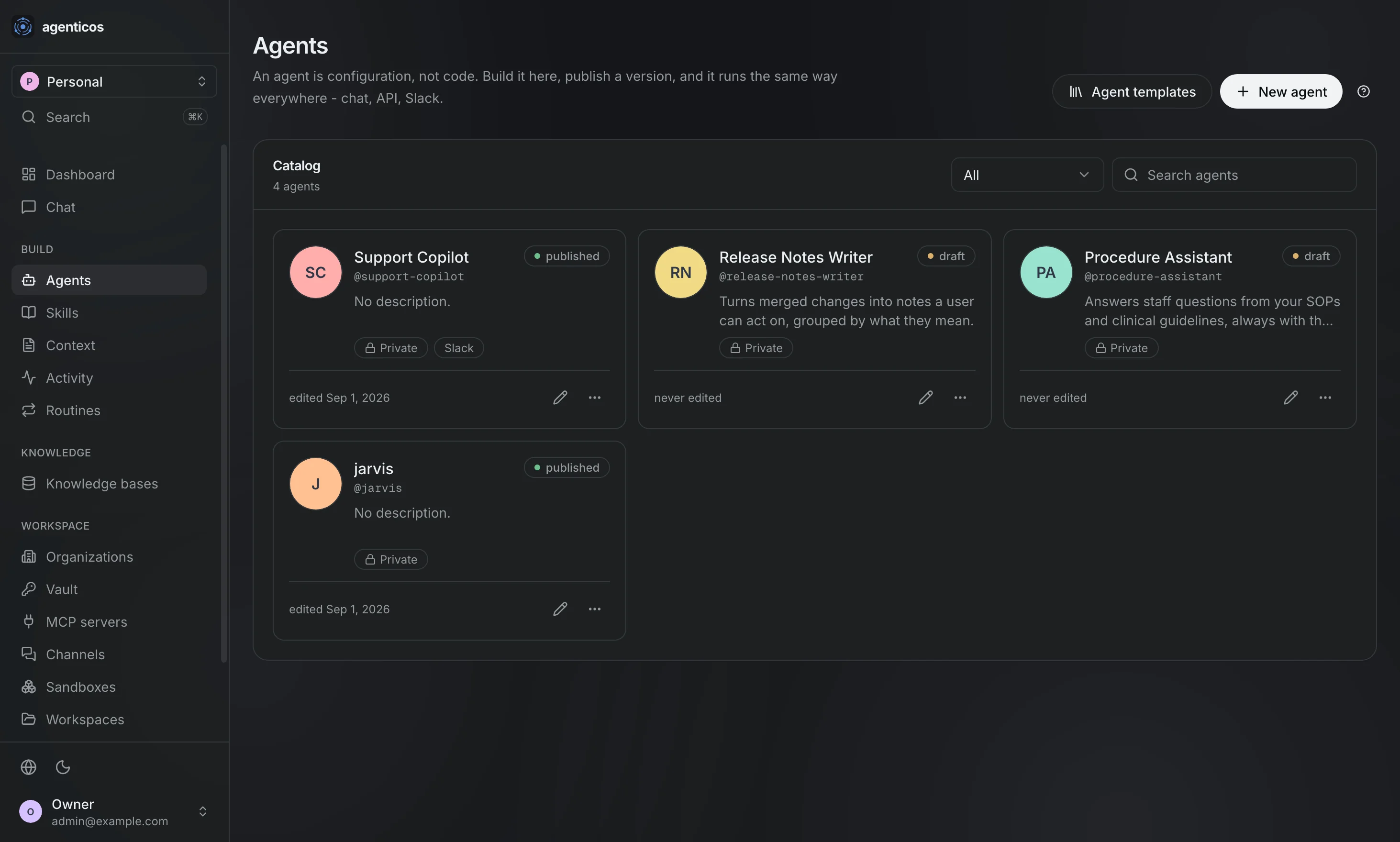
A frozen version, and a file you can export into your own git repository, review in a pull request and restore from:
name: Support Copilot
instructions: |
  Answer from the product wiki and cite the document you used.
  If the wiki does not cover it, say so rather than guessing.
model_profile_id: 8f1c...
capabilities:
  - id: knowledge
    config: { default_top_k: 8 }
  - id: web_research
    approval: required
collection_ids: [b2a9...]
budget:
  monthly_usd: 50
Check it
Publish it and it runs the same way in every surface: the console's chat, a hosted page, an embedded widget, the HTTP API, Slack, Telegram, Mattermost.
curl -X POST http://localhost:8000/api/v1/agents/$AGENT_ID/run \
    -H "Authorization: Bearer $TOKEN" \
    -H "X-Organization-Id: $ORG_ID" \
    -H "Content-Type: application/json" \
    -d '{"prompt": "How do I rotate a provider key?"}'
One runner behind all of them, so an answer does not depend on where the question came from.
What you get
| Agents | Built in a UI, versioned on publish, exportable as YAML into your own git repository |
| Capabilities | Retrieval, web search and fetch, a real browser, Python, a sandbox with files and a shell, charts, images, delegation, planning, guardrails — switched on per agent |
| Integrations | Any MCP server by URL, with 59 common ones in the picker — GitHub, Linear, Notion, Slack, Stripe, Postgres |
| Models | 27 providers, per-organization keys, fallbacks, and self-hosted Ollama or a LiteLLM proxy |
| Knowledge | Retrieval over your documents with three PDF parsers, your own chunking, OCR and image description — per collection, overridable per upload. Google Drive and S3 sync |
| Skills | Written know-how the agent loads only when it decides it is relevant |
| Governance | Monthly budgets, human approval, an audit trail, per-agent alerts |
| Surfaces | Web chat, a hosted page with no login, an embeddable widget, the HTTP API, a raw WebSocket for your own frontend, Slack, Telegram, Mattermost — one runner behind all of them |
| Secrets | Sealed per organization. No response, log line or audit entry ever carries a plaintext key |
Recap
- An agent is a file, not a module. Instructions, a model, capabilities, a budget.
- It is published as a version, and that version is what runs.
- It is exportable as YAML into your repository, reviewable in a pull request.
- It is governed: budgets that stop a run, approvals that wait for a person, permissions checked at every call site.
- It is yours: your Postgres, your hardware, nothing phoning home.
Next
-
The recommended way through, in order: install, first agent, concepts, then the pieces.
-
Everything the platform does, on one page.
-
Settings, CLI commands, the agent spec, the capability and permission catalogs.
-
For whoever owns the decision rather than the install: who does what, what it costs, and what your security review will ask.
-
Why it exists, what it deliberately is not, and the six decisions that shape it.
Stack
FastAPI and Pydantic v2 on PostgreSQL, Pydantic AI for the agent runtime, pgvector for retrieval, Prefect for background work, and Next.js 15 for the console.
Nothing here phones home: model prices come from a bundled snapshot, and the only outbound calls are the ones your agents make.
Licence
Apache-2.0. See
LICENSE.