6 capabilities
Knowledge and memory
Answers from your documents with citations, and what the agent should remember.
- Knowledge search
- Skills
- Context
- Memory
- Memory (mem0)
- Past conversations
Meet us at AGNTCon + MCPCon · San Jose · Oct 23. We’re speaking, then hosting drinks.Our talk Join the drinks

The open-source agent layer for shared agents, company knowledge and automation, on infrastructure you control.
Free to run yourself under Apache-2.0. Rolled out by Vstorm when you want help.


Works with the models you already use:
AgenticOS gives every team AI teammates: agents that work with files, run code, browse the web and use your company’s tools and knowledge. Built in a browser, shared with colleagues, run on servers you own.
Each one has its own instructions, tools, knowledge and budget, and colleagues reach it in chat, in Slack or from the API. These six work in the demo organization.


Chief of Staff
Hands parts of a task to colleagues and writes up the brief.
Examples. Your procedures and figures go in their place.
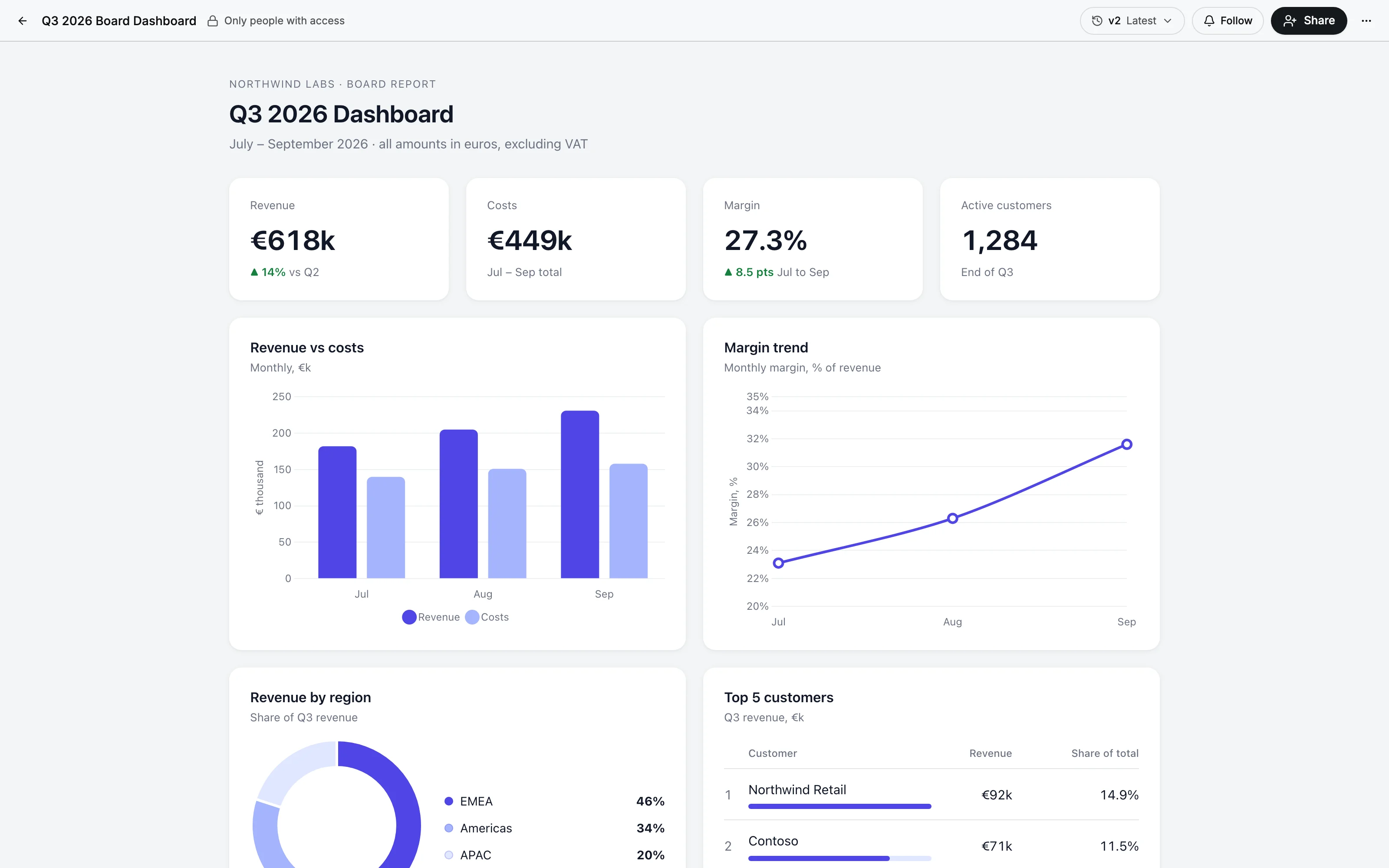
One agent, from its first sentence to a dashboard the board opens: built, taught, connected to your tools, asked in the chat and in Slack, put on a schedule and shared.
Brief it like a new colleague
Name it, write its instructions in plain language, switch on the tools it needs and publish a version.
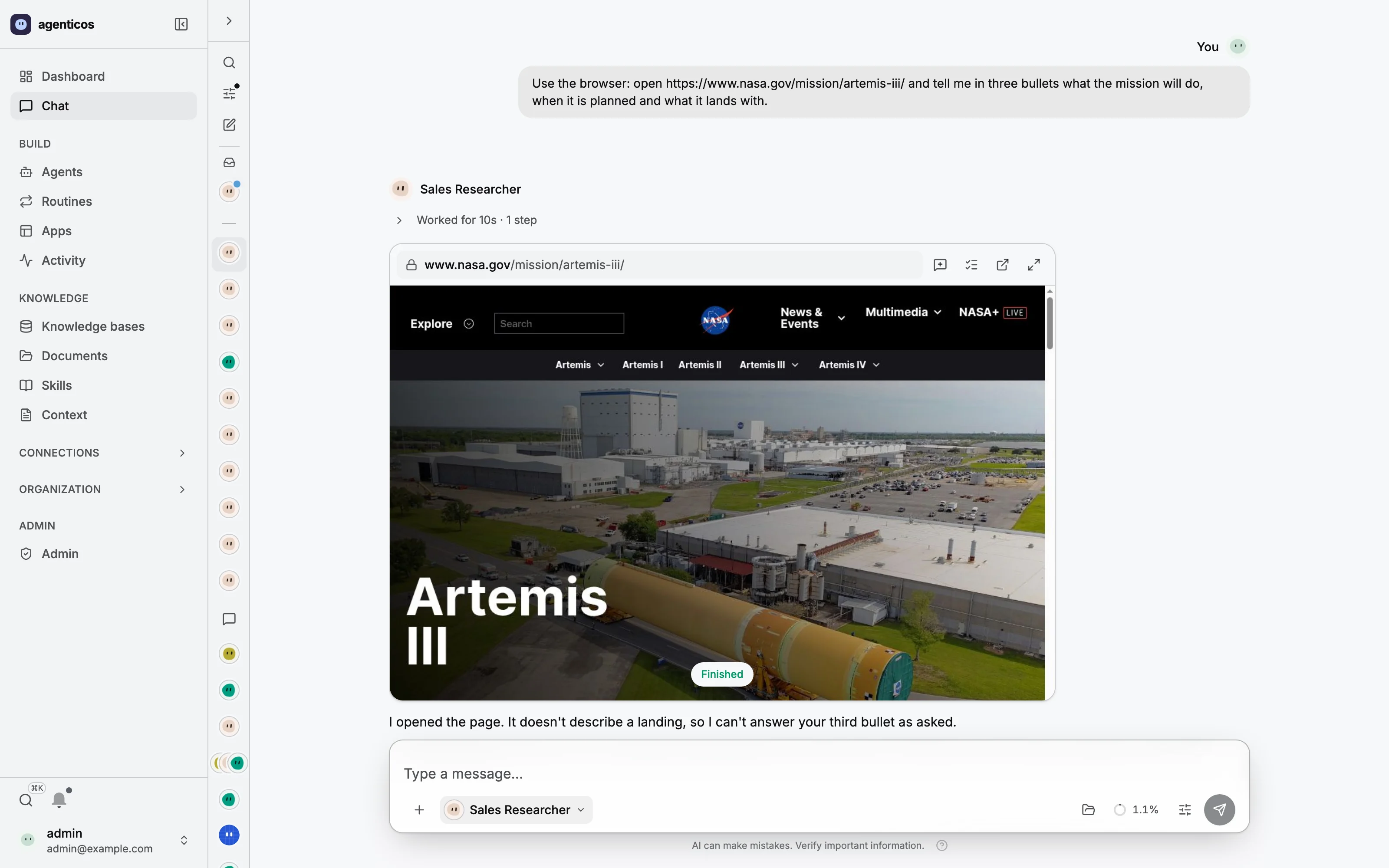
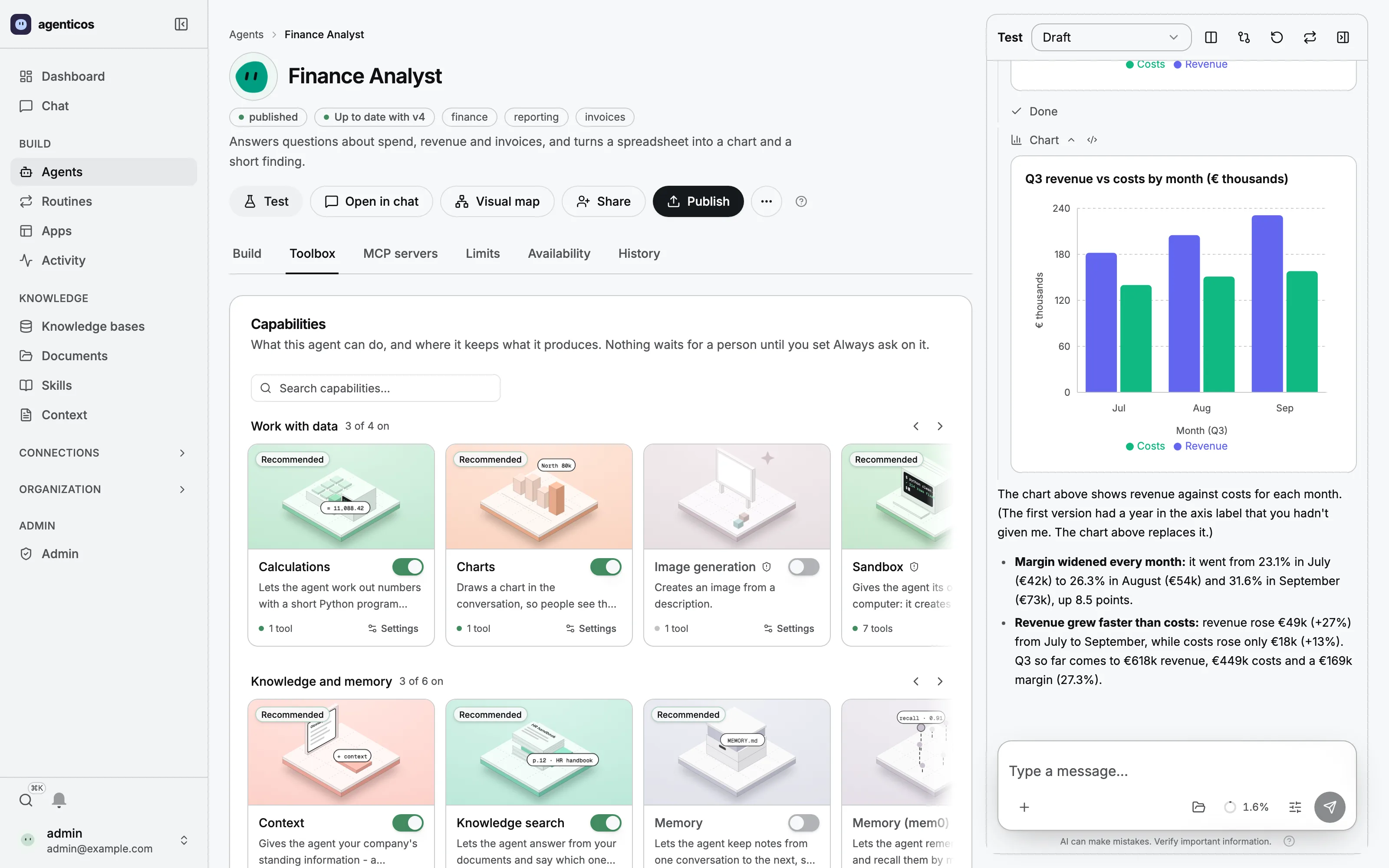
An animated walk-through of the console: Build: Name it, write its instructions in plain language, switch on the tools it needs and publish a version. Teach: Drop in a handbook. It is parsed, split and indexed on your own servers, and every answer cites the page it came from. Connect: Pick HubSpot, Notion or any of 4,700+ MCP servers, sign in once, and choose which tools the agent may call. Tools that change data can ask first. Chat: Mention an agent, drop in a file and watch every step it takes. A slash runs a command: summarize, explain, regenerate, or one your team wrote. Slack: Mention it in Slack, Mattermost or Telegram. It replies in the thread, with the access of the person who asked. Automate: A routine starts it every Monday, on a new GitHub issue, a Gmail message or a webhook, and keeps the dashboard current. Share: The dashboard gets a stable link and versions. Choose who opens it; every update keeps the link.
Chat with them, hand them a task, watch them work, and keep what they make. Real screens from a demo organization, not mock-ups.

01 / 04
A lead agent hands parts of a task to colleagues and writes up what they found. You see who it asked, and what each one said.
How subagents work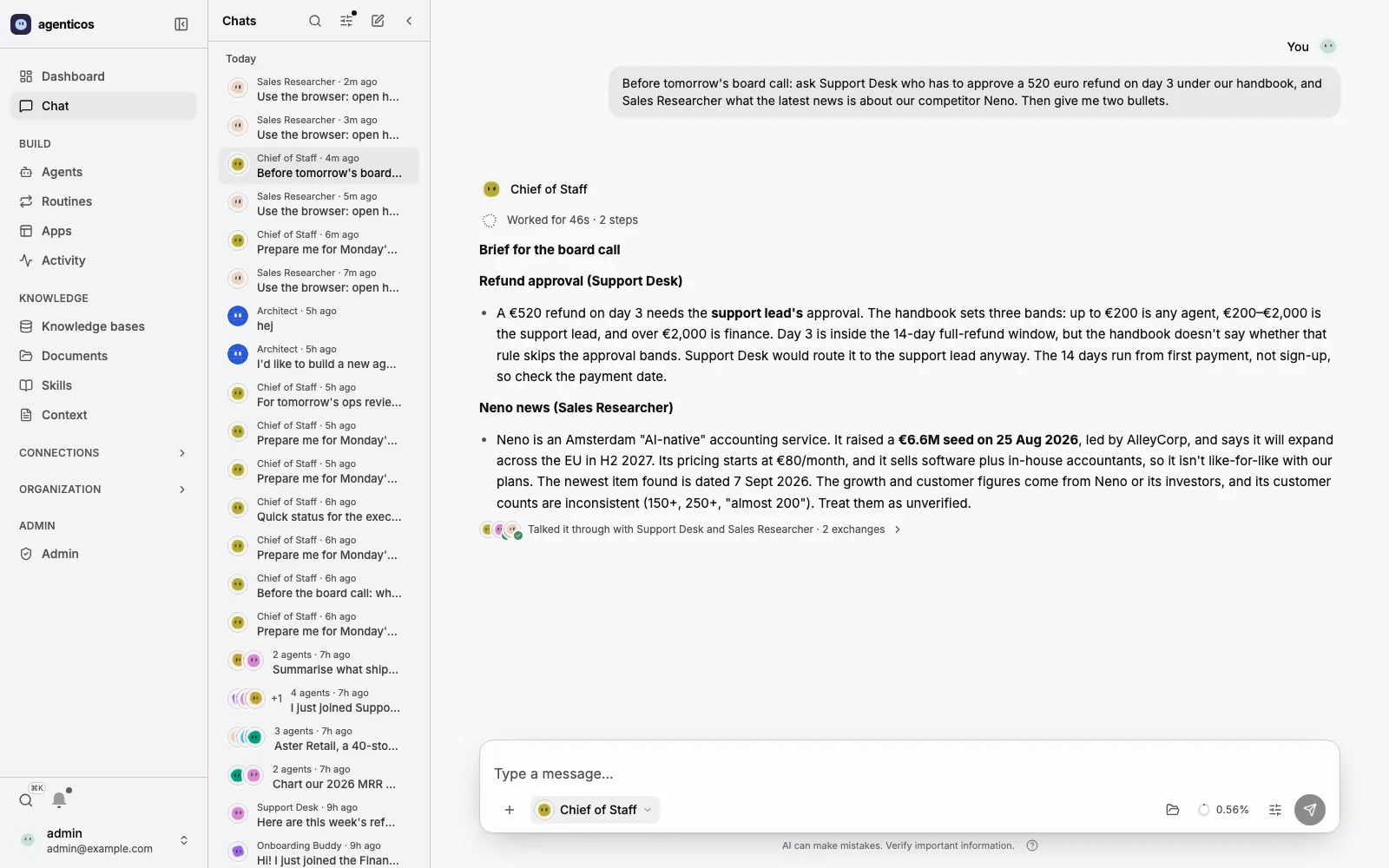

Each one is a card in the agent’s toolbox: switch it on, set it up, test it in the chat beside it. Plus any tool from a connected MCP server, and capabilities your engineers add in typed Python.
Answers from your documents with citations, and what the agent should remember.
Search, read pages, or drive a real browser you can take over at a sign-in.
Its own computer with files and a shell, and results people can open.
Plan, think, hand parts of a job to other agents, and ask you when it is unsure.
Redact secrets and personal data, and keep long runs inside their limits.
Look up people and threads in Slack, Telegram and Mattermost, where an @mention runs as the sender.
6 tutorials
5 tutorials
6 tutorials
5 tutorials
3 tutorials
Starting points with reference runs by the maintainers, not customer case studies.
4,700+ MCP servers in the gallery, and your own. Choose which tools each agent may call.
Sync Google Drive, S3 or MinIO, Git repositories, websites, SharePoint and OneDrive into knowledge bases.
Start agents on a schedule, a new GitHub issue, a Gmail message or a signed webhook.
Publish an agent to Slack, Mattermost or Telegram, where an @mention runs as the person who sent it.
4,700+
MCP servers in the gallery
Registry listings are publisher metadata; each connection needs its own setup and review.
Publish once: the same agent, rules and history everywhere.
AgenticOS is an MCP server too
Add it with one command. Your coding assistant can list and run agents, read runs and what they cost, and search and fill knowledge bases, within what you allowed. Publishing an agent and touching a credential stay in the console.
claude mcp add --transport http agenticos https://<your-deployment>/mcpThe client opens the console's consent page, where you choose the organization and what it may do. No key is pasted anywhere.
Sensitive tools wait for approval. The run pauses, the request lands here, and the decision is recorded with who made it.
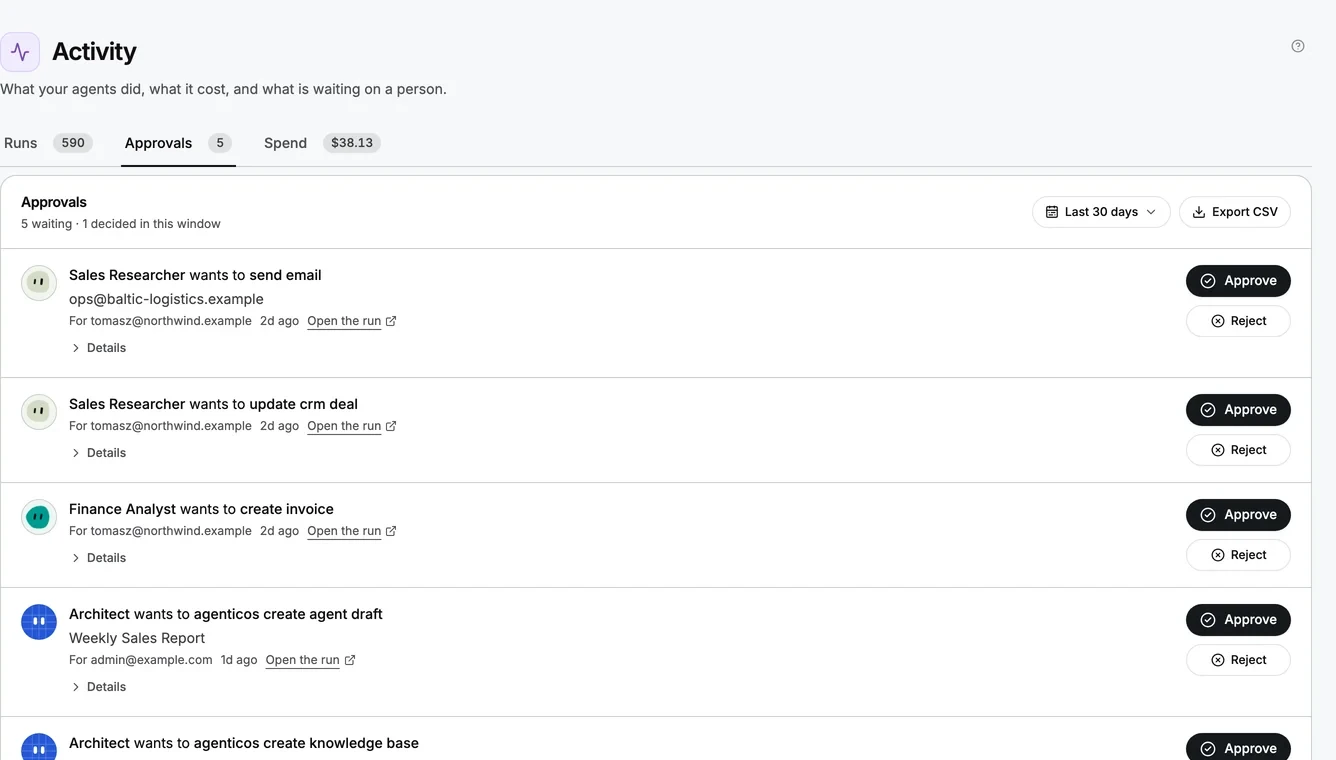
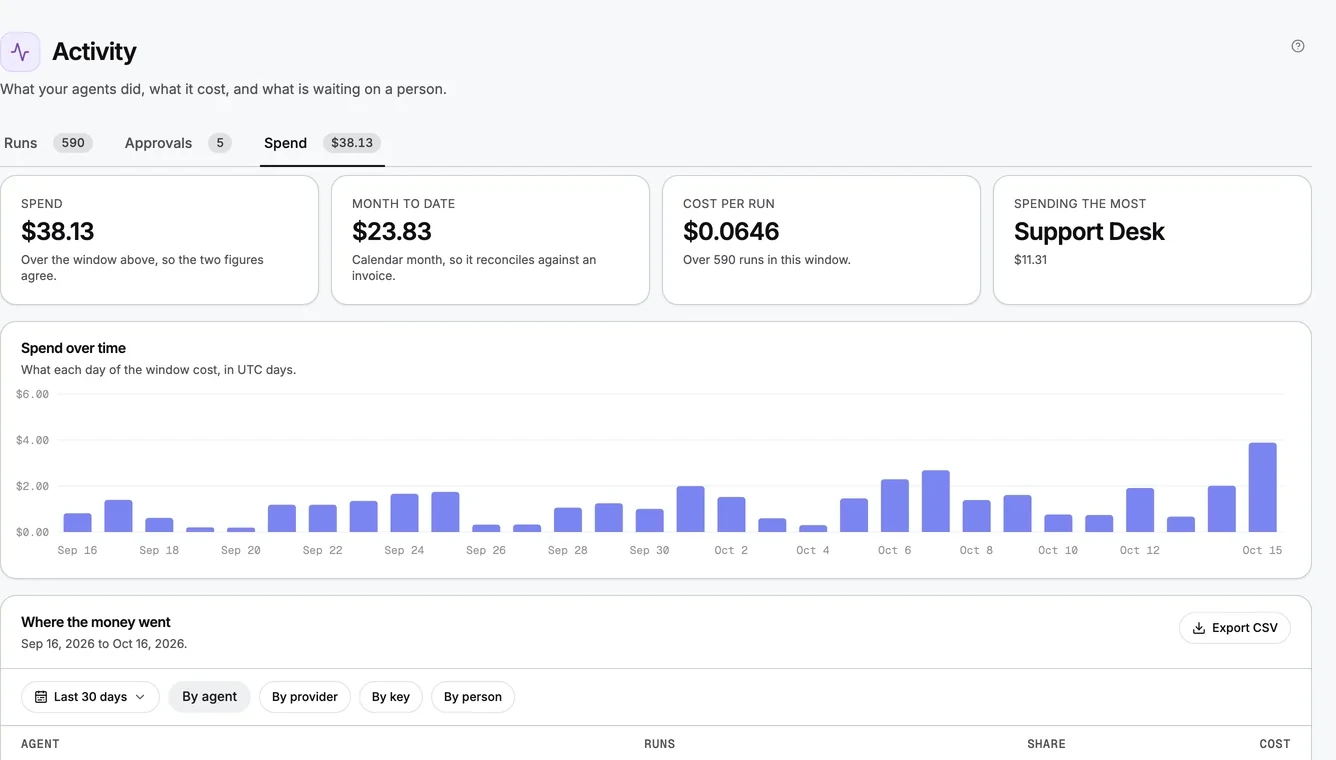
Monthly budgets per agent and organization are checked before each model request, and every run records its tokens and cost.
Roles define what people may do; groups define who you share with. Company sign-in through OIDC, LDAP or Kerberos.
Monthly budgets per agent and organization, checked before each model request.
Sensitive tools wait for a person. Every decision is recorded with who made it.
Hash-chained per organization, verifiable and exportable.
Envelope-encrypted credentials with a data key per secret. Values are never shown again.
Code runs in isolated containers with no network unless needed, and CPU, process and time limits.
AgenticOS is Apache-2.0 software you can inspect, modify and operate. AI teammates are arriving in every vendor’s cloud; this is the one you run yourself, on any model, with the source open.
Full lock-in platform
0 of 5
layers you own
Semi lock-in platform
3 of 5
layers you own
AgenticOS
5 of 5
layers you own
Process logic, data, models, codebase and infrastructure. Nothing in AgenticOS needs anyone’s permission to keep running.
 Setup 1
AgenticOS, documents, vectors and logs run on your servers. Models come from a provider under your own contract and keys, including Azure, Bedrock and Vertex.
 Setup 2
The same layer with open models through Ollama or vLLM on your hardware, local embeddings and local document parsers. Nothing leaves your network.
AgenticOS
OpenAI dots
Grok Bot
Viktor
n8n
| Product | Where it runs | Source | Models |
|---|---|---|---|
| AgenticOS | Your infrastructure | Apache-2.0 | 27 providers, including local ones |
| OpenAI dots | OpenAI’s cloud | Proprietary | OpenAI only |
| Grok Bot | xAI’s cloud | Proprietary | Grok only |
| Viktor | Viktor’s cloud | Proprietary | OpenAI, Anthropic, Google, Kimi |
| n8n | Self-hosted or n8n Cloud | Sustainable Use License | Many, including Ollama |
Each cell comes from the vendor’s own pages. Every comparison, in detail
async def current_weather(city: str) -> Forecast:
    """Get the current weather for a city.

    Use this when an answer depends on today's conditions
    rather than a seasonal average.
    """
    return await weather_api.current(city)


class WeatherConfig(BaseModel):
    units: Literal["metric", "imperial"] = Field(
        default="metric",
        description="metric for °C and km/h, imperial for °F and mph.",
    )


@register(
    id="weather",                   # stable in every published spec
    name="Weather",
    description="Read current conditions instead of assuming them.",
    config_schema=WeatherConfig,    # the settings form, validated at publish
    scopes=("weather:read",),       # what a role or an API key needs
)
def build(ctx: CapabilityBuildContext) -> Weather:
    return Weather(config=WeatherConfig.model_validate(ctx.config))
A capability is typed Python: the tool’s docstring is the prompt the model reads, the config is a validated model the console draws as a form, and scopes decide who may use it.
Capabilities, connectors and catalog entries are typed Python on Pydantic AI. Configuration only reaches what code registered.
A spec exports to YAML for your repository, with versions, rollback and a diff that shows what changed.
Chat, Slack, a routine and the API run the same agent, through the same budgets, approvals and recorded run.
Call agents from your own code, stream tokens, or drive the organization from Claude Code or Cursor.
Built on
Built in the open by 9 contributors
Every change reviewed in public, every release tagged on GitHub.
$0Apache-2.0 licence
The whole product, on your own servers. You pay for the infrastructure and the model usage you choose.
Per projectImplementation and tailoring
The team that builds AgenticOS sets it up in your environment and puts your first workflows into production.
OngoingIf you are not ready to own it yet
Vstorm maintains the platform for you, on your infrastructure, until your own team takes it over.


The team that builds AgenticOS maps your processes, builds the agents inside your environment and hands the system over to your people, or keeps running it for you.
Talk to the founders
15 or 30 minutes, free of charge
 Antoni KozelskiCEO and co-founder
 Bartosz Adam GonczarekCo-founder and CTO
You leave with
The first meeting maps which processes AgenticOS should take on first, what already exists for them and what the first ninety days look like. You speak with the engineers who would do the work.
Reply within 48 hours, from a founder or principal engineer. Or write to info@vstorm.co.
Partners and recognition
 Agentic AI Foundation memberThe first agentic AI engineering company to join
A transformation manager runs the change alongside: the roadmap, adoption and upskilling. You pay for implementation and tailoring. No subscription, no seat count, no long-term commitment.
The open-source base, already built and running in production, set up in your environment.
Forward-deployed engineers map your processes, redesign them for agents, then build and tailor the system in production.
Upskilling, runbooks, documentation and pairing, so your team runs and evolves the system when we step back.
Figures from each client’s case study on vstorm.co. These are Vstorm projects, not all of them built on AgenticOS.
$ curl On macOS or Linux, or inside WSL2 on Windows. It checks Docker first and changes nothing else on the machine.
A model provider and its key, your login and an organization name. The key is stored encrypted in your own database.
A working agent is already there. Ask it something, drop a PDF into a knowledge base, connect a tool.
Licence, local models, control, sign-in and what it takes to run.
Something we did not answer?
Ask the founders. 15 or 30 minutes, free of charge.
Yes. It is licensed under Apache-2.0, which allows commercial use, modification and private deployment. You pay for the infrastructure you run it on and for the model providers and services you choose.
Both. It is an open-source product you can install and run yourself, and Vstorm tailors it to your processes, data and integrations when you want help. Either way the code, the data and the infrastructure stay yours.
Yes. Vstorm, the team that builds AgenticOS, maps your processes, builds the agents inside your environment and hands the system over to your team, or maintains it for you. You pay for implementation and tailoring: no subscription, no seat count and no long-term commitment. A first call is 15 or 30 minutes and free of charge.
Not to build agents: instructions, tools and knowledge are set up in the browser by the people who know the work. You need someone to operate the deployment, and engineers only when you want a capability that does not exist yet, which they add in typed Python.
Yes. Configure Ollama, LiteLLM or an OpenAI-compatible server such as vLLM or LM Studio, use local embedding models through Ollama, and parse documents with PyMuPDF or LiteParse. Check each destination you configure: self-hosting the console alone does not make every model, parser or tool local.
Monthly budgets per agent and per organization are checked before each model request. Sensitive tools wait for a person’s approval. Optional guardrails redact secrets and personal data, and every run is recorded with its agent version, tools, tokens and cost.
Email and password with magic links, Google, OIDC single sign-on (Entra ID, Okta, Keycloak, Auth0, Authentik), LDAP and Kerberos. Six built-in roles combine with department groups and per-resource sharing. MFA comes from your identity provider; there is no native MFA, SAML or SCIM yet.
AgenticOS runs on your infrastructure with any of 27 model providers and has no seat or credit fee of its own. It builds agents for the organization, published to chat, websites and APIs, rather than assistant seats for individual employees. Compared with n8n it starts from the agent rather than a workflow canvas, and many teams use both.
A host with 4 vCPU and 8 GB of RAM, Docker Compose and access to a model provider. Plan for someone to operate the deployment and for subject experts who maintain the instructions and documents.

Choose one repeated task and the person who will judge the answers. Set it up with the model and access rules you choose.
Or click through the 14-slide introduction