
Help a shopper choose
from your catalog.
Plan an AI shopping assistant for your website: catalog-based recommendations, a published agent widget and explicit boundaries for cart and order actions.
Build and publish a website widget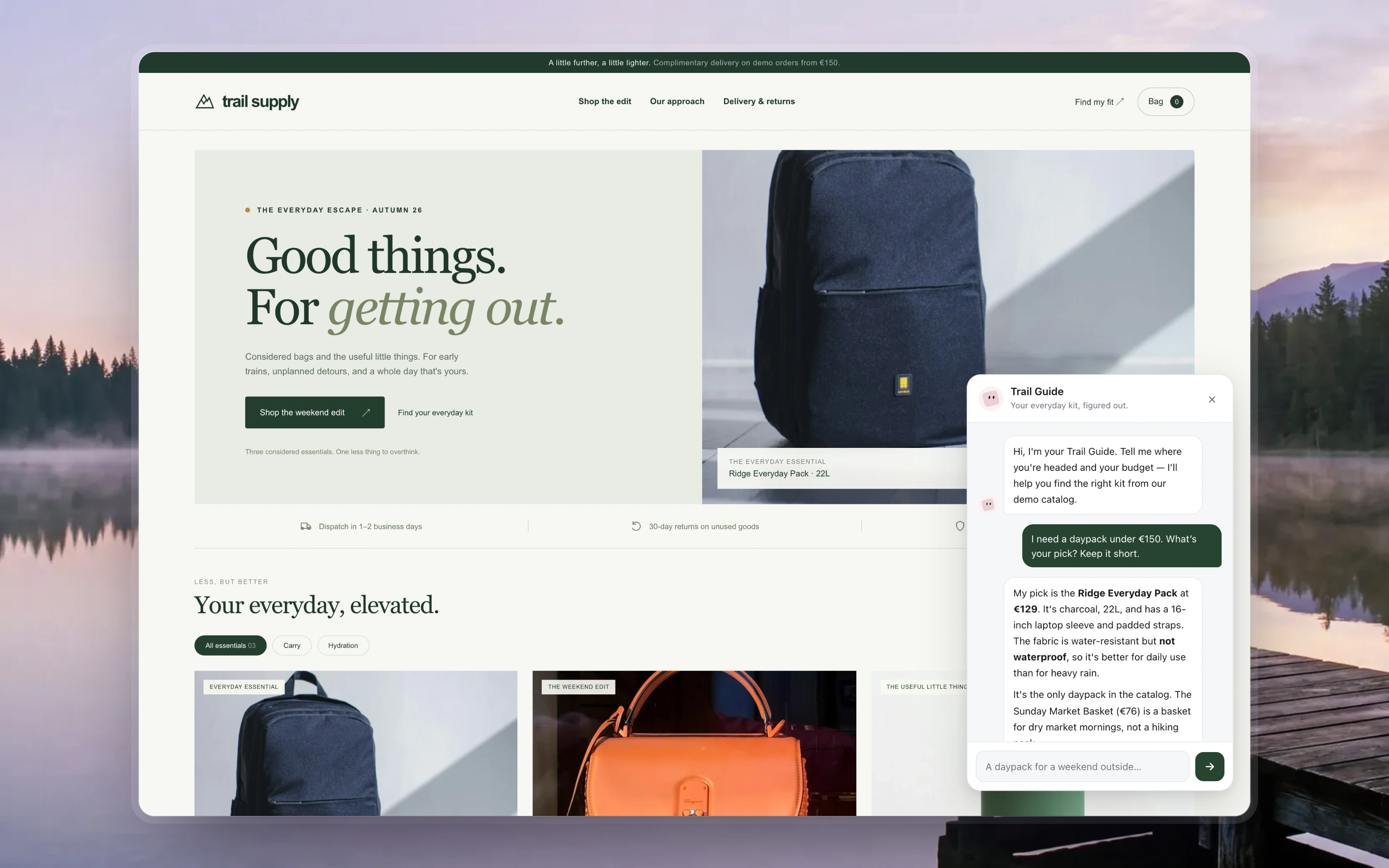
01 / Start with
A maintained product catalog, a shopper's needs and constraints, and a clear policy for unavailable information.
02 / Build toward
A visitor-facing agent that can answer within the catalog and policy you connect. Cart or order actions require a separately implemented store integration.
03 / Check the result
Try a budget with no matching product, an unavailable specification and a request to act outside the agent's scope. Inspect the selected product and its source.
From example to your data
Build a version
you can inspect.
AgenticOS runs on your infrastructure. Set up the model, tools and access for this task, then use the linked documentation for the exact configuration.
- 01
Make one shopping decision useful
Start with a question such as which daypack suits a short hike within a budget. Choose the attributes needed to answer it. Treat inventory and prices as connected data that must be refreshed, rather than facts the model can invent.
- 02
Connect only the required knowledge and tools
Give the agent catalog and policy access. A suitable API or MCP connection can expose store operations, but a gallery listing is not a working integration. Configure authentication, allowed operations and failure behavior for your actual store.
- 03
Publish the visitor-facing surface
After testing the agent, use Availability → Website widget, configure Allowed sites and use the generated embed on your site. Review the public audience and tools before exposing it; a storefront visitor must not inherit internal company access.
- 04
Keep a recommendation separate from an order
First verify read-only recommendations. Adding to a real cart or placing an order needs store-specific tools, permissions and user confirmation appropriate to the action. The recorded Trail Supply widget answers from catalog facts in its published instructions. Its storefront bag is a local demo, without real inventory or order tools.
Questions worth
settling first.
Is this a ready-made Shopify or WooCommerce plugin?
No. AgenticOS supplies agents and an embeddable website widget. Your catalog and commerce actions need a suitable configured integration. The demo storefront does not establish support for a particular commerce backend.
Can I start with support questions instead?
Yes. The support-widget tutorial uses a small fictional shipping and returns FAQ, tests a deliberate information gap and explains publishing the widget. It is a narrower first exercise than implementing purchases.
Will the widget improve conversion?
That requires a measured experiment in your store. The example does not establish conversion uplift, saved time or sales. Start by checking recommendation correctness and the handling of missing information.