
Give the whole team
the same starting point.
Use AgenticOS Projects as a shared AI workspace for team briefs, files and instructions. Keep ongoing work together while giving agents focused responsibilities.
Set up a shared Project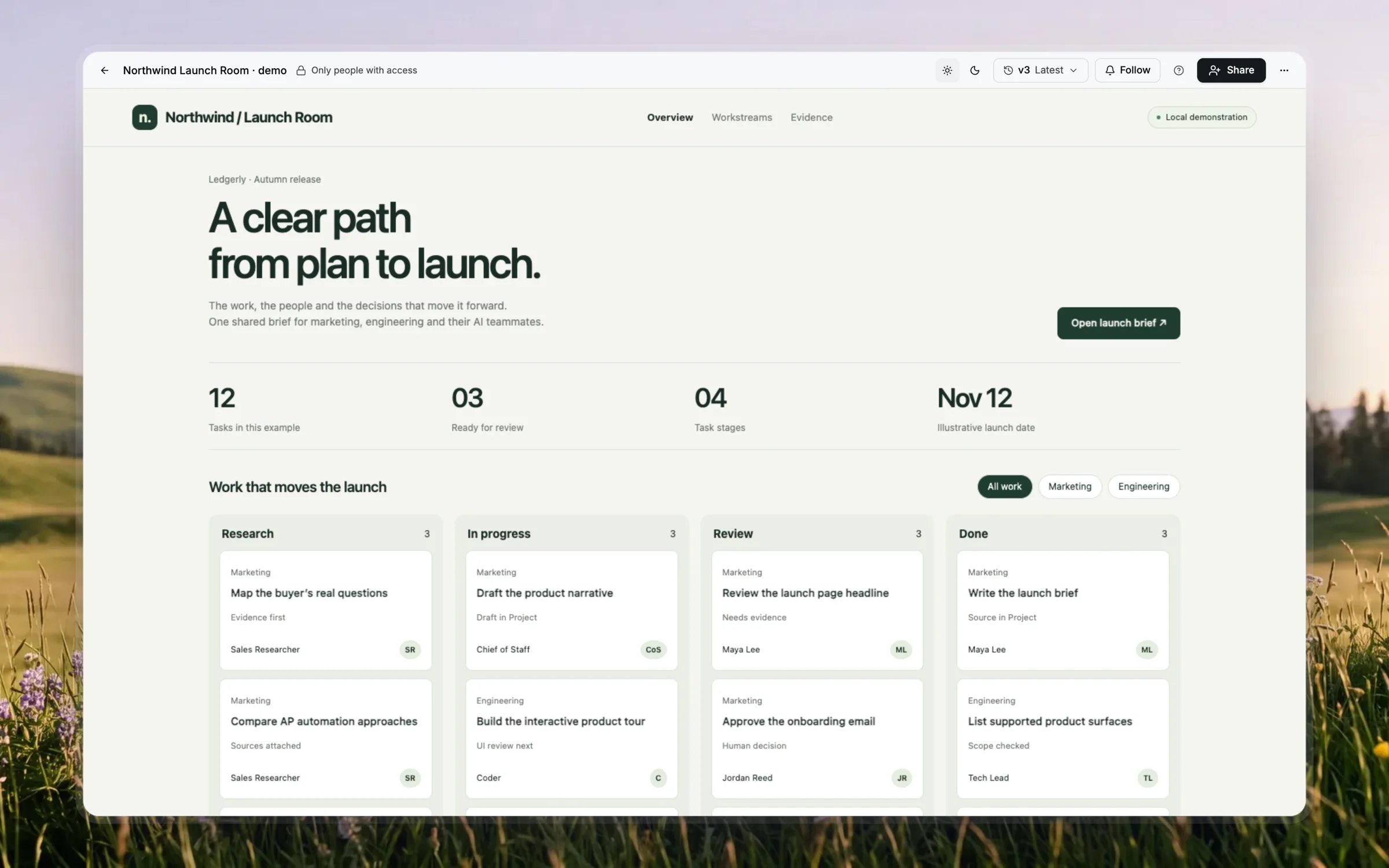
01 / Start with
A launch brief, owners, deadlines, source documents and the decisions a new teammate needs to understand.
02 / Build toward
A Project with shared files and instructions, separate conversations and reusable artifacts the permitted team can inspect.
03 / Check the result
Open a new chat in the Project and check the shared brief. Test access with another member; verify that the intended files are available without assuming every earlier transcript is in context.
From example to your data
Build a version
you can inspect.
AgenticOS runs on your infrastructure. Set up the model, tools and access for this task, then use the linked documentation for the exact configuration.
- 01
Create a home for continuing work
Use a Project for the launch, client engagement or monthly report. Add the common brief and instructions once. Choose a default agent for new chats; that default does not prevent other agents from answering there.
- 02
Give specialists clear responsibilities
Use focused agents for tasks such as reviewing a brief, researching a question or preparing a report. Their models, permitted tools and knowledge bindings remain agent configuration, rather than access inherited from a task label.
- 03
Make decisions available as files
Write accepted decisions and the current plan into Project files. A file written in one chat is available to later Project chats. The fact that a transcript is visible to a member does not make it automatic context for every agent.
- 04
Turn the result into something reusable
Use documents for written output or the Visuals capability for an interactive artifact, then inspect it before sharing. Check the artifact's data source and permissions. A static chart or prepared app is not automatically a live dashboard.
Questions worth
settling first.
Is this multiplayer AI?
People and agents can work within shared Projects and conversations with configured access. Check the exact interaction you need: a persistent shared runtime or automatic awareness of every other chat should not be assumed.
Can the team share knowledge across models?
Project files and instructions are available to chats in that Project, while agents can use their configured model profiles. Each agent still needs the appropriate tools and knowledge permissions.
Does creating a Project create the entire plan?
No. Architect can propose or create a Project after approval. Creation does not execute the plan, write all planned files or start recurring work; those are separate actions to review.