
AgenticOS vs Grok Bot
Your AI team.
Your servers.
Build specialists around your company’s knowledge, let people work with them in shared Projects, and run the platform on infrastructure you choose.
Apache-2.0 · self-hosted · built on Pydantic AI
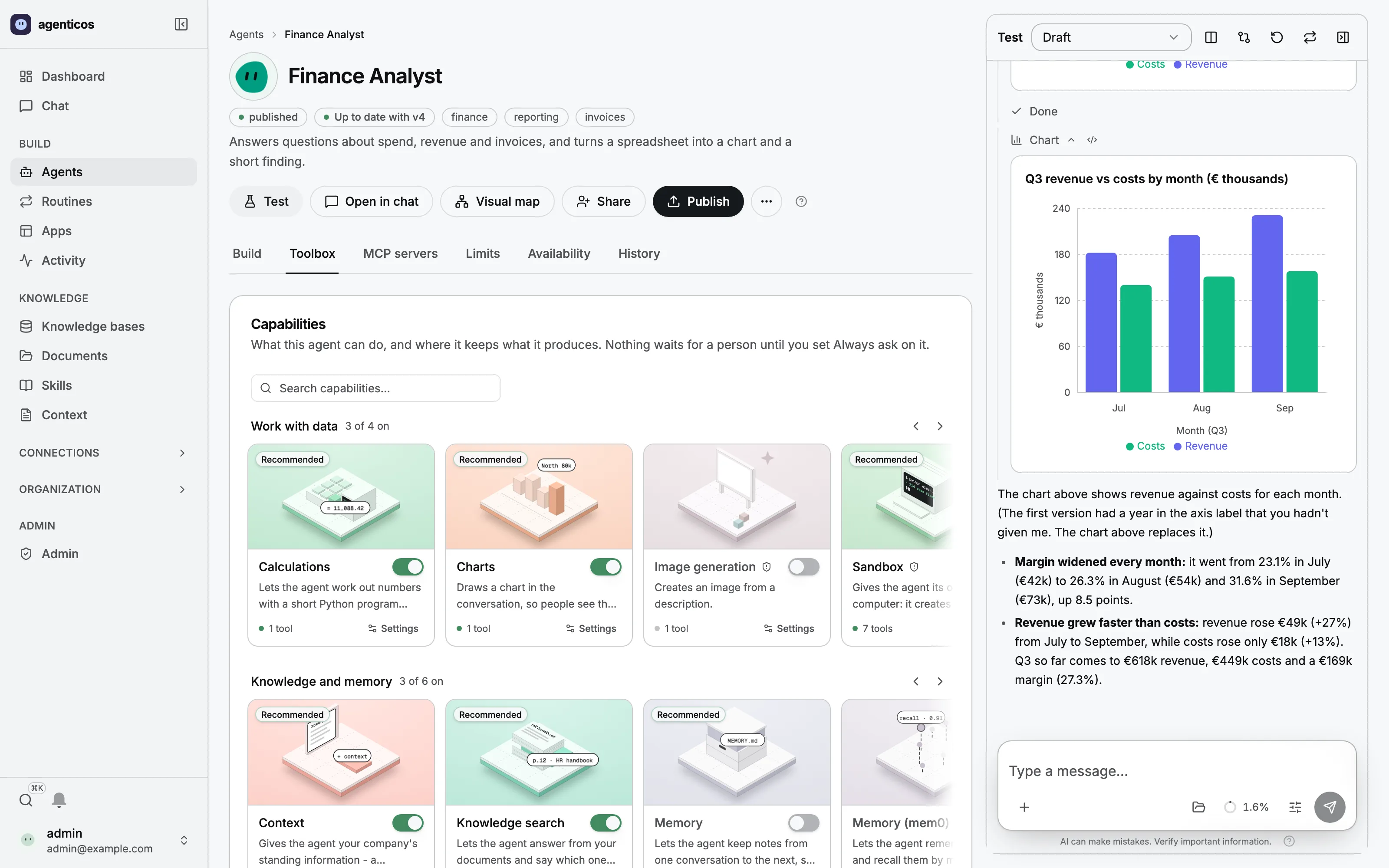
Work together
People and agents in shared Projects
Build around your work
Knowledge, tools, workflows and apps
Choose how it runs
Your infrastructure and model providers
AgenticOS vs Grok Bot
Grok Bot gives you managed AI teammates on persistent cloud computers. AgenticOS gives your team a self-hosted platform to build, share and operate its own agents. The important choice is who runs the workspace, how you configure it and what your task needs.
Jump to the side-by-side comparisonWhat you could put to work
Pick a job.
See it in action.
A useful agent should leave you with something you can use. Explore three examples from the AgenticOS product.
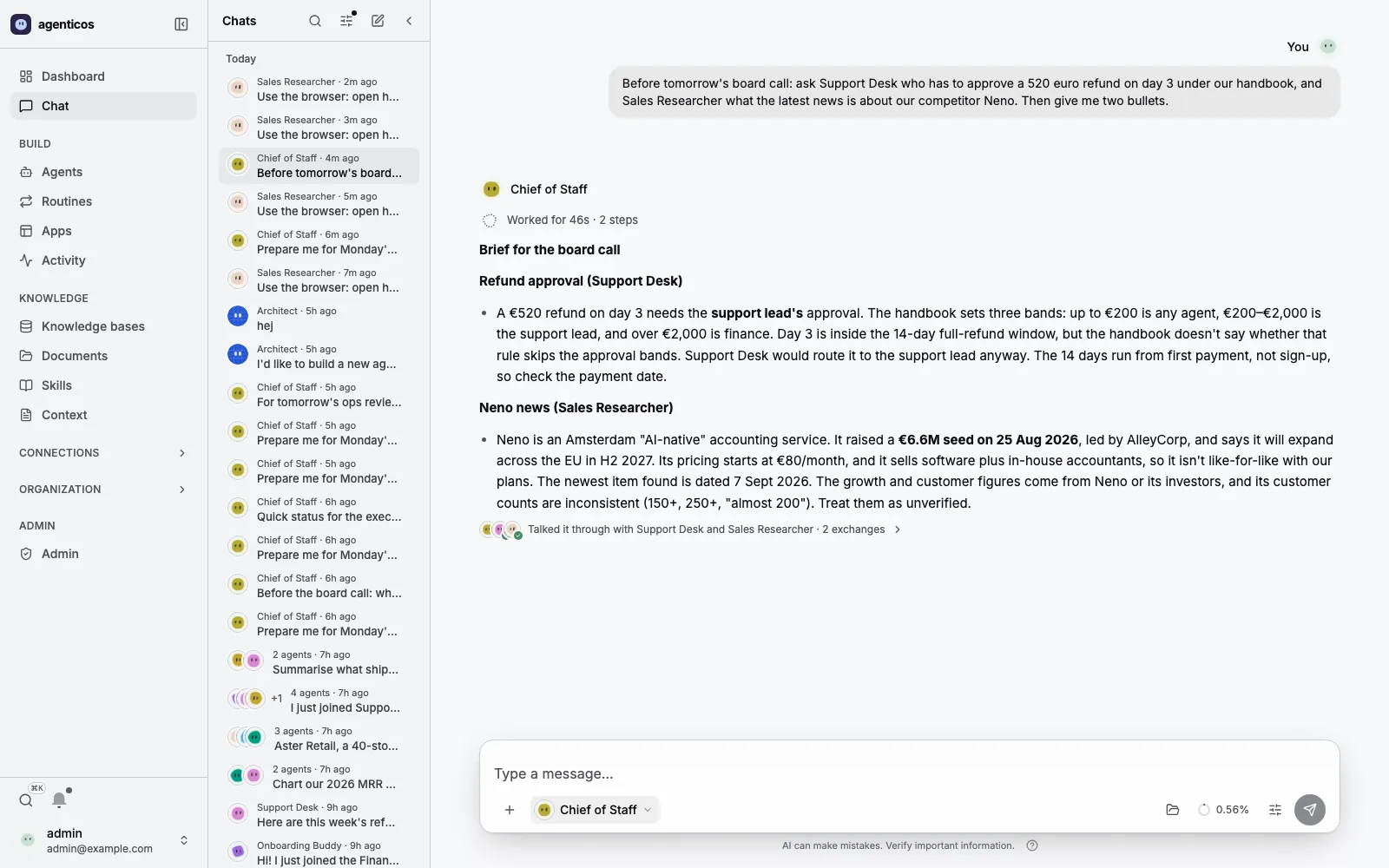
Research & operations
Ask the specialists. Get one brief.
Let a lead agent bring together research and analysis from specialist agents. In this example, the brief names its sources and flags the missing financial inputs instead of inventing a margin.
- 1.Define the question
- 2.Connect specialist agents
- 3.Review the combined brief
Make the platform fit the work
Build for your team.
Run it your way.
01
Build around the team’s job
Configure specialist agents with the knowledge, skills and tools a task needs. Bring people and agents into shared Projects, with project files and instructions that support the work.
02
Draw the steps you already know
Use visual workflows for explicit sequences, call an agent where interpretation is useful, and keep structured results in Virtual Tables. A repeatable process can sit beside a conversation.
03
Choose the runtime, then inspect the work
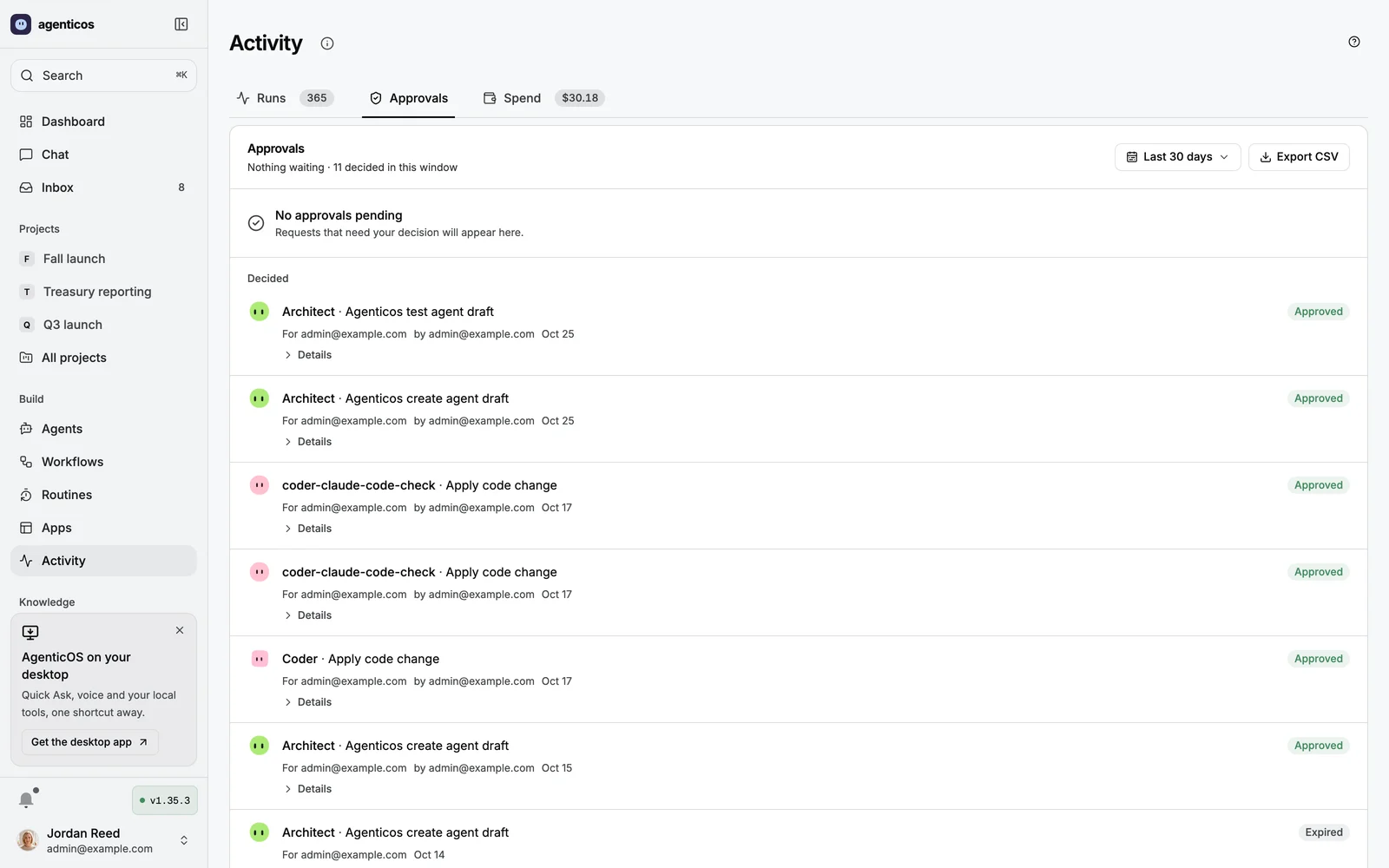
Select model-provider profiles, configure tool approvals and budgets, and inspect the resulting runs. Your team owns the configuration and needs to test its policies and failure paths.
The software is Apache-2.0. Your team still owns hosting, model usage, updates and the policies it configures. Self-hosting alone does not mean zero outbound data.
Grok Bot and AgenticOS, side by side.
Who runs it
- Grok Bot
- Managed service on vendor-hosted bot computers
- AgenticOS
- Your team operates the deployment on infrastructure it chooses
Working with agents
- Grok Bot
- Message persistent bots; connected apps, skills and routines
- AgenticOS
- Configure agents, shared Projects, visual workflows, tables and routines
Models
- Grok Bot
- Models available through the vendor service and plan
- AgenticOS
- Configure model-provider profiles, including local-model endpoints
Controls
- Grok Bot
- Approvals; audit logs, SCIM and MCP allowlist documented for Enterprise
- AgenticOS
- Roles, configured tool approvals, budgets and recorded runs in the open-source platform
Operating cost
- Grok Bot
- Subscription entitlement and usage conditions depend on the plan
- AgenticOS
- Apache-2.0 software, with infrastructure, models and operation paid separately
What to verify
- Grok Bot
- Your plan’s tools, admin controls and data-handling conditions
- AgenticOS
- Your resource grants, model and tool destinations, diagnostics and maintenance plan
| Area | Grok Bot | AgenticOS |
|---|---|---|
| Who runs it | Managed service on vendor-hosted bot computers | Your team operates the deployment on infrastructure it chooses |
| Working with agents | Message persistent bots; connected apps, skills and routines | Configure agents, shared Projects, visual workflows, tables and routines |
| Models | Models available through the vendor service and plan | Configure model-provider profiles, including local-model endpoints |
| Controls | Approvals; audit logs, SCIM and MCP allowlist documented for Enterprise | Roles, configured tool approvals, budgets and recorded runs in the open-source platform |
| Operating cost | Subscription entitlement and usage conditions depend on the plan | Apache-2.0 software, with infrastructure, models and operation paid separately |
| What to verify | Your plan’s tools, admin controls and data-handling conditions | Your resource grants, model and tool destinations, diagnostics and maintenance plan |
Choose Grok Bot when it fits the job.
- You prefer a vendor-operated bot service to managing a deployment and its updates.
- Its available apps, routines and desktop/mobile experience fit your task.
- You need its documented Enterprise administration features and have verified the relevant plan conditions.
Run the platform. Make it your own.
- Your team wants to operate the platform and choose its infrastructure and model providers.
- You want shared Projects, configurable specialist agents and explicit workflows in one workspace.
- You want open-source software you can inspect and extend, and accept responsibility for operating it.
Before changing your setup
Try one bounded task before moving a setup. Recreate permitted instructions, reconnect tools, check an answer and test a rejected write. No automatic bot importer, transferred login session or direct Grok Bot integration is claimed.
What people ask before they switch.
Is AgenticOS a free version of Grok Bot?
It is a different operating model. AgenticOS is Apache-2.0 software you host and operate. There is no software licence fee, but servers, model usage and maintenance still cost money. Grok Bot is a managed service with its own plan and usage conditions.
Does Grok Bot have enterprise controls?
Yes. Its current documentation includes Enterprise audit logs, OpenTelemetry export, SCIM and an MCP allowlist. Compare the policies your organization actually needs; this is not a claim that only AgenticOS offers controls.
Can I choose models in AgenticOS?
You configure model-provider profiles and connect agents to them, including supported local-model endpoints. Model availability, capability support and running costs depend on that configuration.
Can I move my existing bots automatically?
No automatic Grok Bot importer or login-session transfer is claimed. Start with a small manual task migration and verify tools, permissions and outputs before expanding it.
Were both products benchmarked?
No. Vendor claims are based on the documentation linked in the full guide. The AgenticOS images are product captures with illustrative data, not measured customer outcomes or evidence of a head-to-head quality advantage.

Make the choice on your own task
One useful agent.
Start there.
Bring a handbook question, a recurring report or a small research task. Build one agent and decide whether this is the workspace you want to run.
Try it on your own infrastructure
Start with the installation guide and a model connection. No software licence fee; infrastructure and model usage are separate.
curl -fsSL https://raw.githubusercontent.com/vstorm-co/agenticos/main/scripts/quickstart.sh | bashComparison by Vstorm, the team building AgenticOS. Vendor sources checked 2 November 2026.
Documented capabilities, not a head-to-head benchmark. Read the sources and comparison scope.